
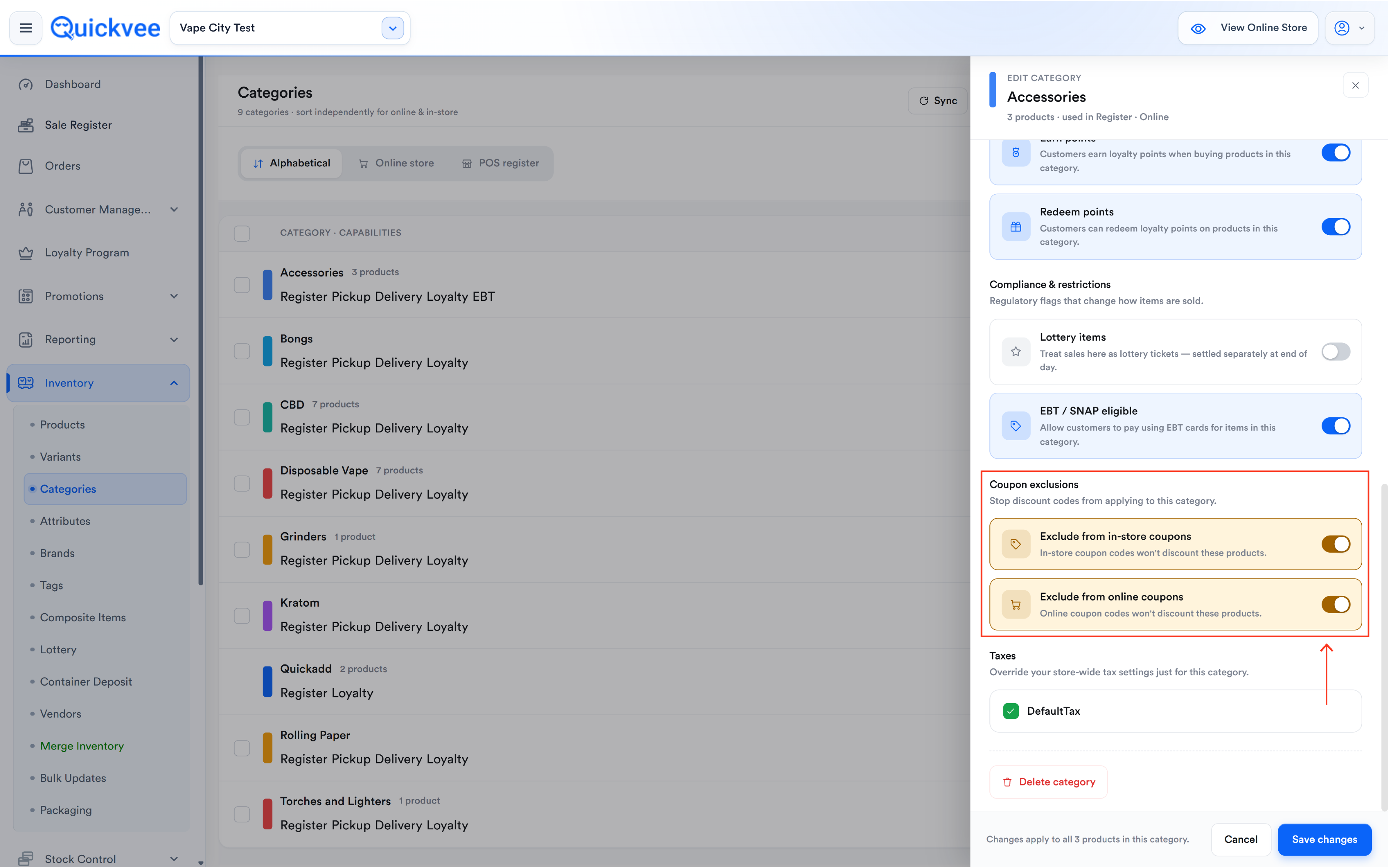
Coupon exclusions let you keep whole categories out of coupon discounts. They are set on the category, not on each coupon: open a category in the web backend and switch on Exclude from in-store coupons and/or Exclude from online coupons. Any coupon a cashier applies at the register, or a customer enters on your online store, then skips every product in that category and discounts the rest of the cart as normal — so a "10% off everything" code can run storewide while tobacco, age-restricted or low-margin categories stay at full price.
⚠️ Important. There is no per-coupon exclusion list. The two toggles on a category apply to every coupon — order coupons and item coupons alike — for the channel you switch on.
Where to find it
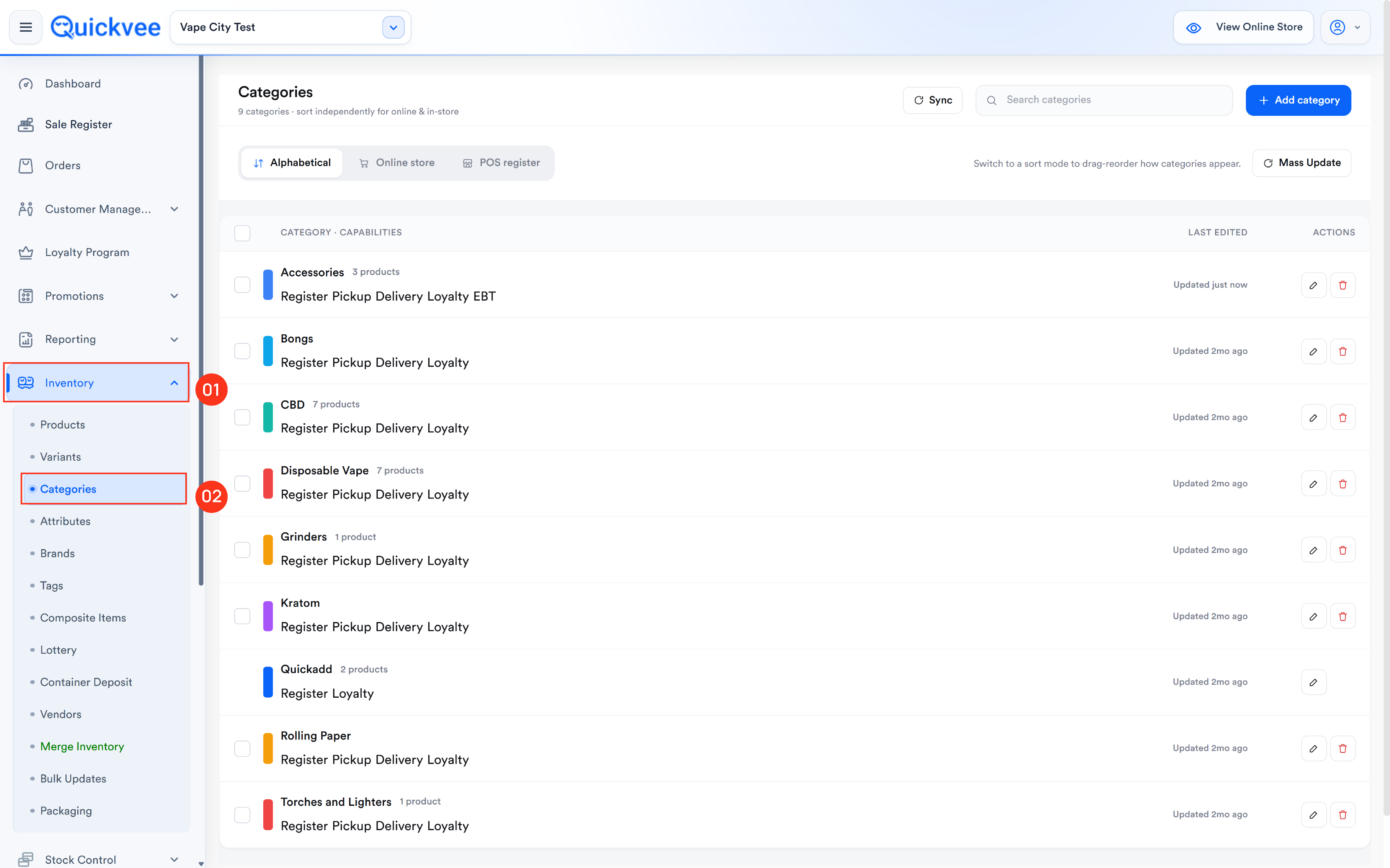
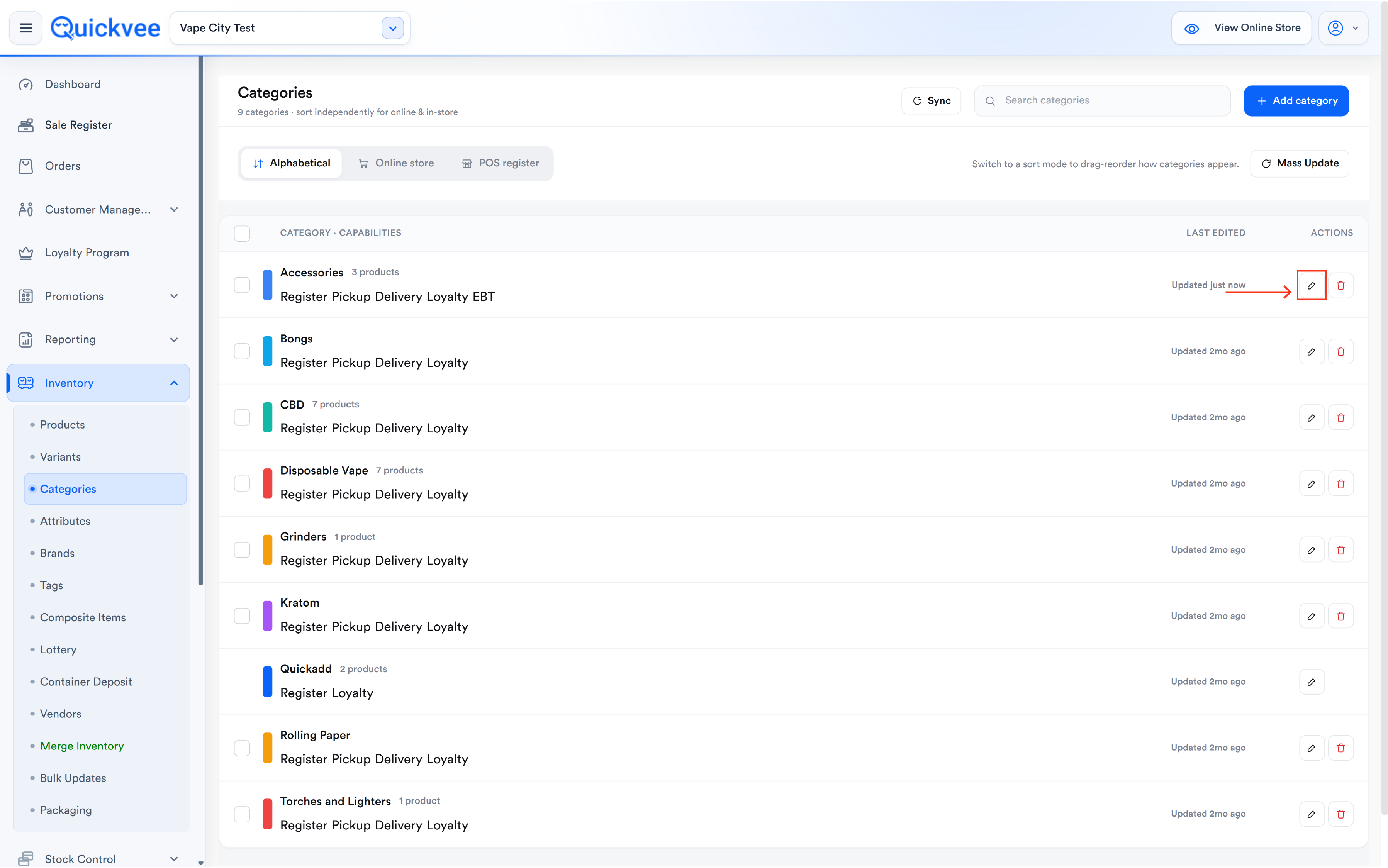
Sign in to the web backend and open Inventory → Categories. Select the pencil icon on a category (or Add category) to open the category editor. The Coupon exclusions toggles sit in the editor alongside the category's channel, loyalty and compliance settings.
Exclude a category from coupons
-
Open Inventory → Categories and find the category. Use Search categories if the list is long.
-
Select the pencil icon to open the category editor.
-
In Coupon exclusions, turn on one or both toggles:
|
Toggle |
What it does when on |
|---|---|
|
Exclude from in-store coupons |
Coupon codes applied at the POS register do not discount products in this category. Online coupon codes still can, unless the online toggle is also on. |
|
Exclude from online coupons |
Coupon codes entered on your Quickvee online store do not discount products in this category. In-store coupons still can, unless the in-store toggle is also on. |
-
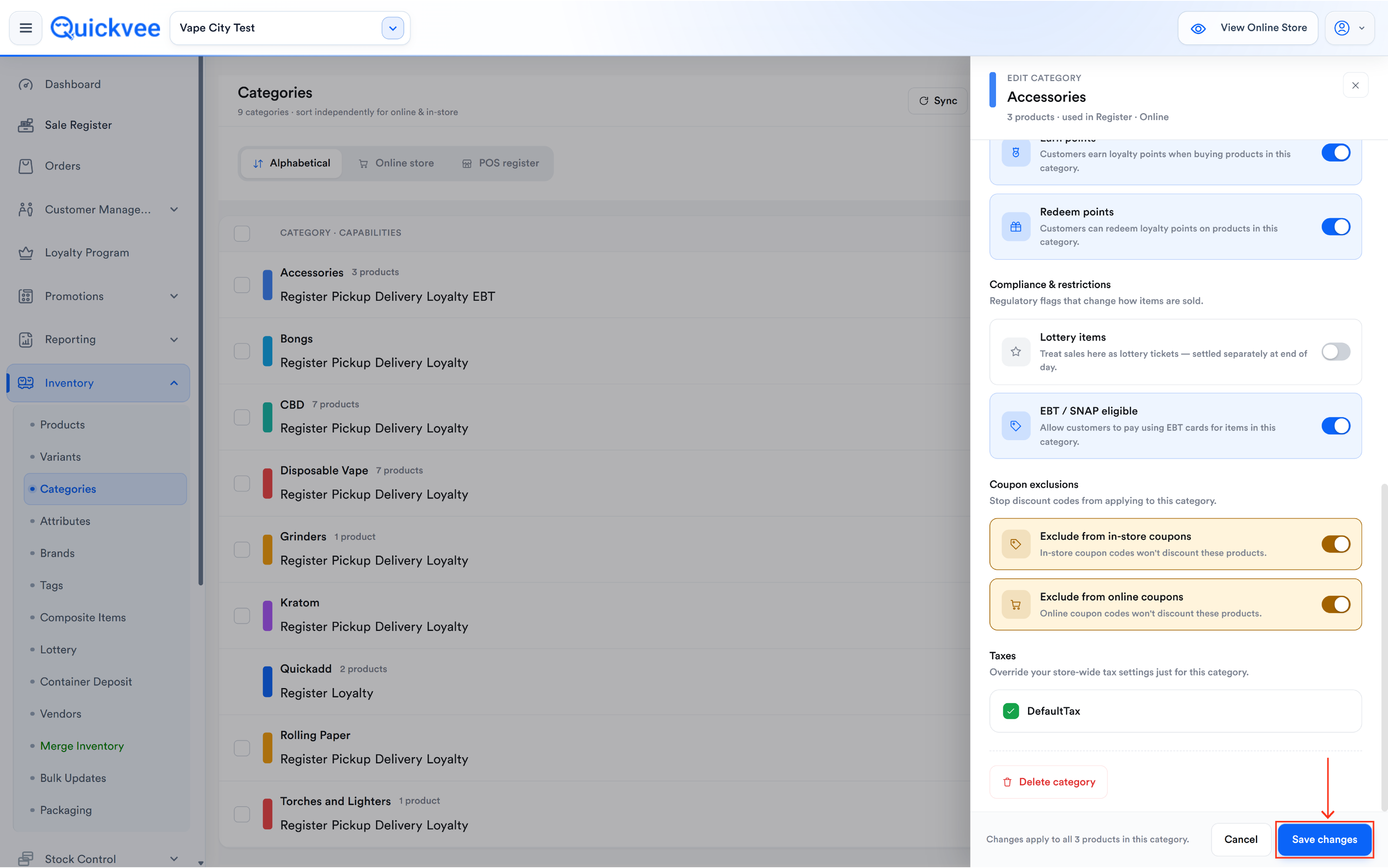
Select Save changes. The setting applies to every product in the category straight away, including products you add to the category later.
-
Repeat for each category that should stay out of coupon discounts.
📝 Note. The two toggles are independent, so a category can be excluded in the store but not online, or the other way round. Lottery categories are always outside coupons — the toggles are disabled once Lottery items is on.
|
In-store exclusion |
Online exclusion |
Result for products in the category |
|---|---|---|
|
Off |
Off |
Both in-store and online coupons can discount them |
|
On |
Off |
In-store coupons skip them; online coupons can still discount them |
|
Off |
On |
Online coupons skip them; in-store coupons can still discount them |
|
On |
On |
No coupon discounts them anywhere |
What happens at checkout
|
Cart contents |
What the coupon does |
|---|---|
|
Only items from categories that are not excluded |
Discounts the eligible cart as usual |
|
A mix of excluded and eligible items |
Discounts the eligible items only; excluded items stay at full price. A fixed-amount coupon never takes off more than the eligible items are worth |
|
Only items from excluded categories |
Nothing to discount — the coupon cannot be applied and the cashier or customer sees a message |
At the register the cashier applies the coupon in the usual way; the POS works out which items are eligible. On the online store the same rules apply when the customer enters the code at checkout.
💡 Tip. Test a new exclusion once with one excluded item and one regular item in the same cart. The receipt shows exactly where the discount landed.
✅ Best practice. Exclude by category rather than building separate coupons for everything else. New products added to an excluded category are covered automatically, and one storewide code is easier for staff and customers to remember.
Common questions
I'm editing a coupon — where do I pick the categories to exclude?
Not on the coupon. Exclusions live on the category: Inventory → Categories → edit the category → Coupon exclusions.
Can I exclude just one product?
Exclusions are set per category, so every product in that category is excluded. If one product needs different treatment, give it a category of its own.
Does the minimum order amount count excluded items?
Excluded items are left out of the amount the coupon discounts. Test a minimum-order coupon once at the register to see how your store's threshold behaves before promoting it.
Do the exclusions apply to item coupons too?
Yes. An item coupon applied to a product in an excluded category gives no discount on that product.
Do they affect BOGO or Mix n Match deals?
No. The toggles control coupon codes only. BOGO and Mix n Match deals use their own product selections.
What about manufacturer-funded discounts (Dezi, Altria)?
Those are separate from store coupons. Category exclusion is your own, additional control over your coupon codes.
Related
See Set up coupons in the web backend, Manage categories in the web backend, and Apply coupons at the register.