
Tobacco manufacturers like Altria run rebate programs that pay retailers for selling participating products at agreed prices, but only if the retailer submits daily sales data ("scan data") electronically. Quickvee's Tobacco Scan Data integration handles that for you: it tracks qualifying sales at the register, formats the data to Altria's specification, and uploads it automatically on schedule.
The result is that rebate earnings happen in the background. Your cashiers ring up tobacco as they always have, and the reporting obligation is met without anyone compiling spreadsheets at close.
⚠️ Important. Rebates depend on complete, accurate, on-time data. Incomplete or late submissions can cost you the rebate for that period, so it's worth checking your submission status periodically rather than assuming it's running.
What gets reported
For every sale of a qualifying tobacco product, Quickvee captures:
|
Field |
What it records |
|---|---|
|
Date and time |
When the transaction occurred |
|
Store ID |
Which of your locations made the sale |
|
Register ID |
Which POS terminal rang it up |
|
Cashier ID |
Who processed the sale, where applicable |
|
UPC (GTIN) |
The product's manufacturer barcode |
|
Quantity sold |
Units moved on that transaction |
|
Discount applied |
Any promotional discount on the item |
|
Final sale price |
What the customer actually paid |
Only qualifying product UPCs are included. Quickvee maintains a master tobacco product catalog against the manufacturer's UPC list, so non-participating products in the same basket are excluded from the report.
Setting up Altria Scan Data
Scan Data is configured per location in your store settings.
-
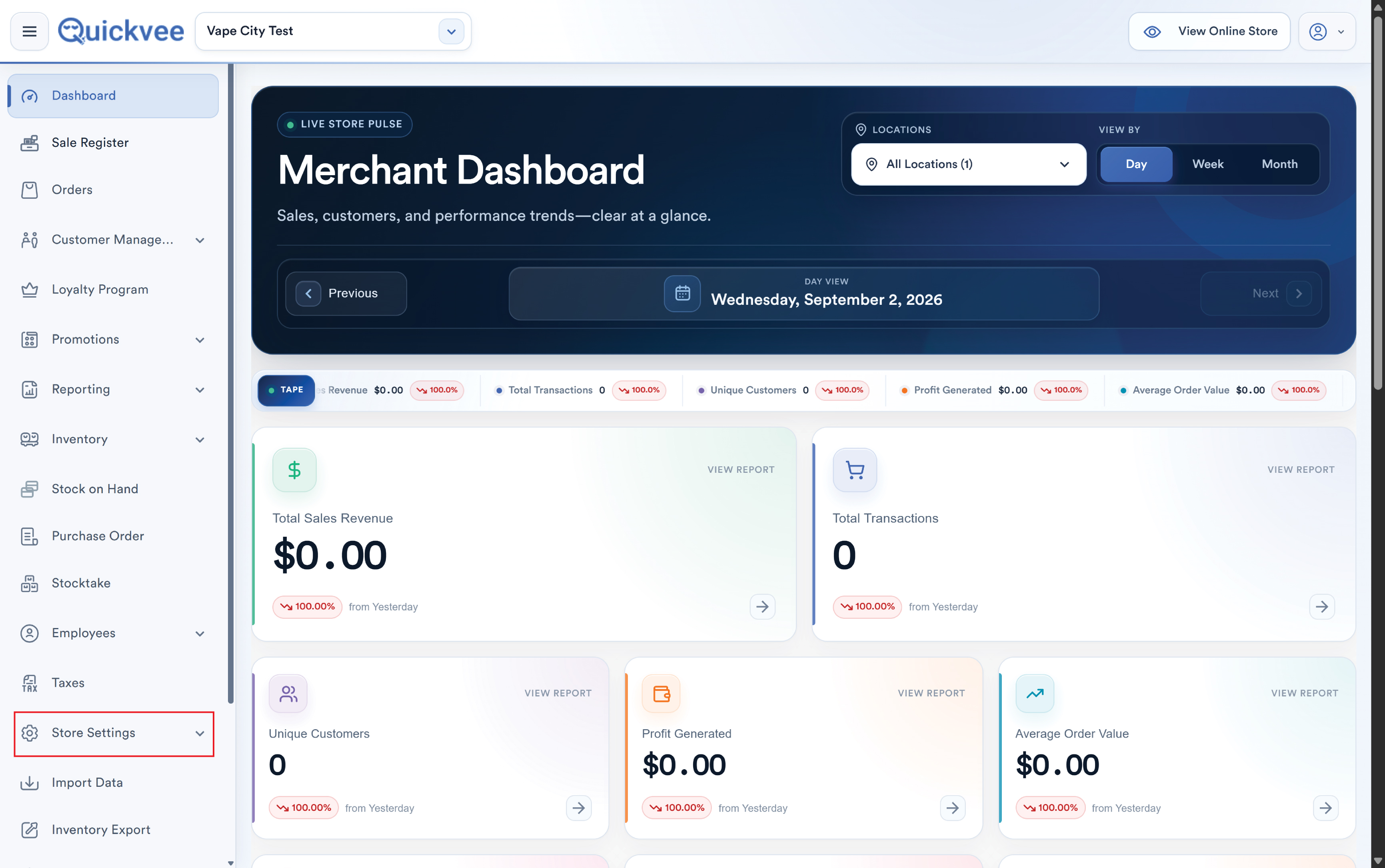
Open your store's Tobacco Scan Data settings.
-
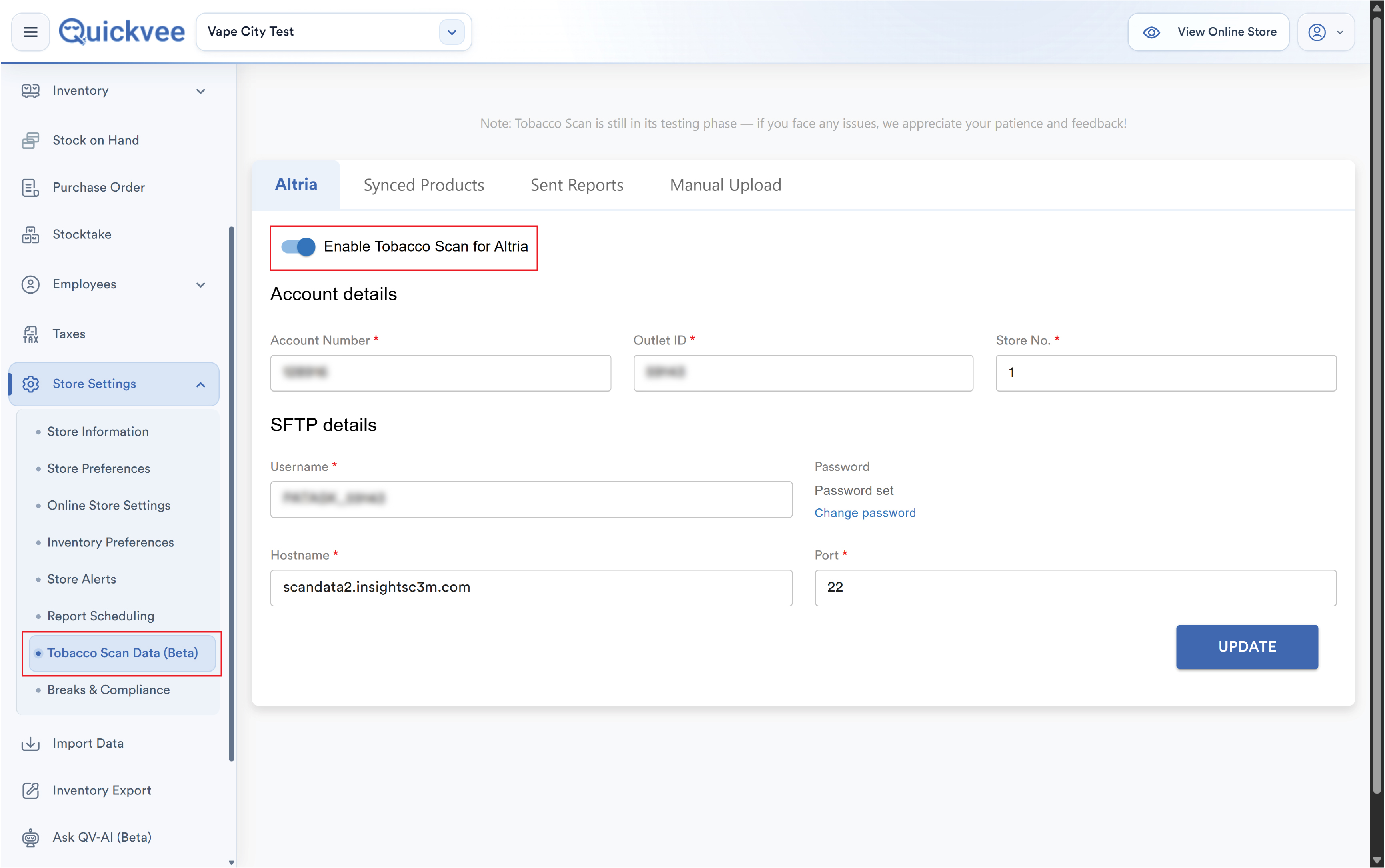
Enable the Altria Tobacco Scan program for the location.
-20260902-151546.jpg?cb=f404884c6d210eed4432e95eb7fc8222)
-
Enter your Altria SFTP credentials, the connection details Altria issues when you enroll. The password field includes a visibility toggle so you can confirm what you typed before saving.
-
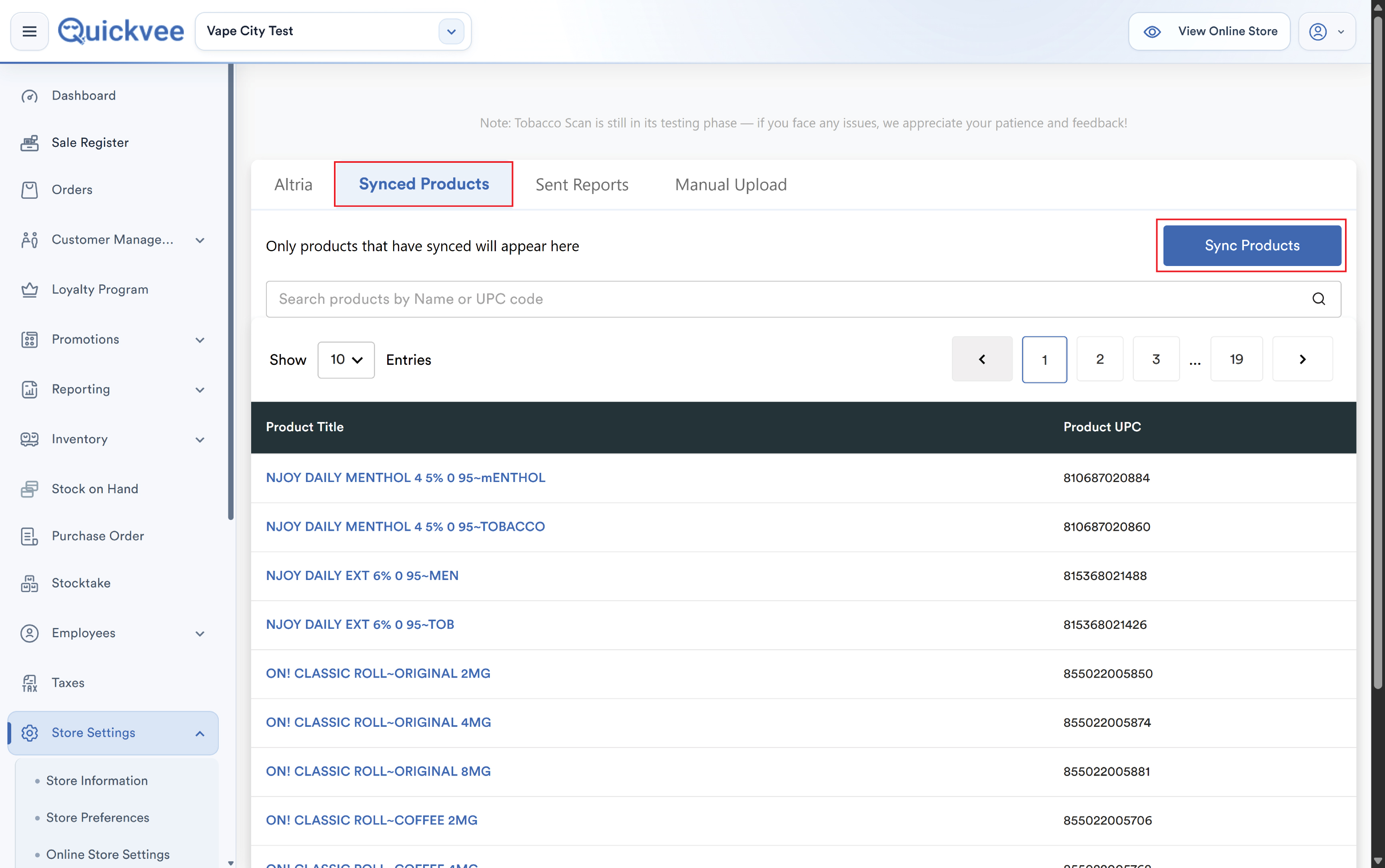
Run Sync Products to match your catalog against Altria's qualifying UPC list.
-
Save. The location now reports on schedule.
📝 Note. Enrollment is between you and Altria. Quickvee submits the data; the program terms, qualifying products, and rebate rates come from the manufacturer. Your Altria representative issues the SFTP credentials you enter here.
💡 Tip. After a catalog change, new tobacco SKUs or UPC corrections, run Sync Products again so new items are recognized as qualifying before their sales are reported.
Reports and submission
-
Reports are generated daily or weekly in Altria's required file format.
-
Files upload automatically to Altria over SFTP.
-
Reports can also be generated manually from the admin panel when you need to regenerate or resend.
-
If an upload fails, the report can be downloaded manually as a fallback and submitted directly.
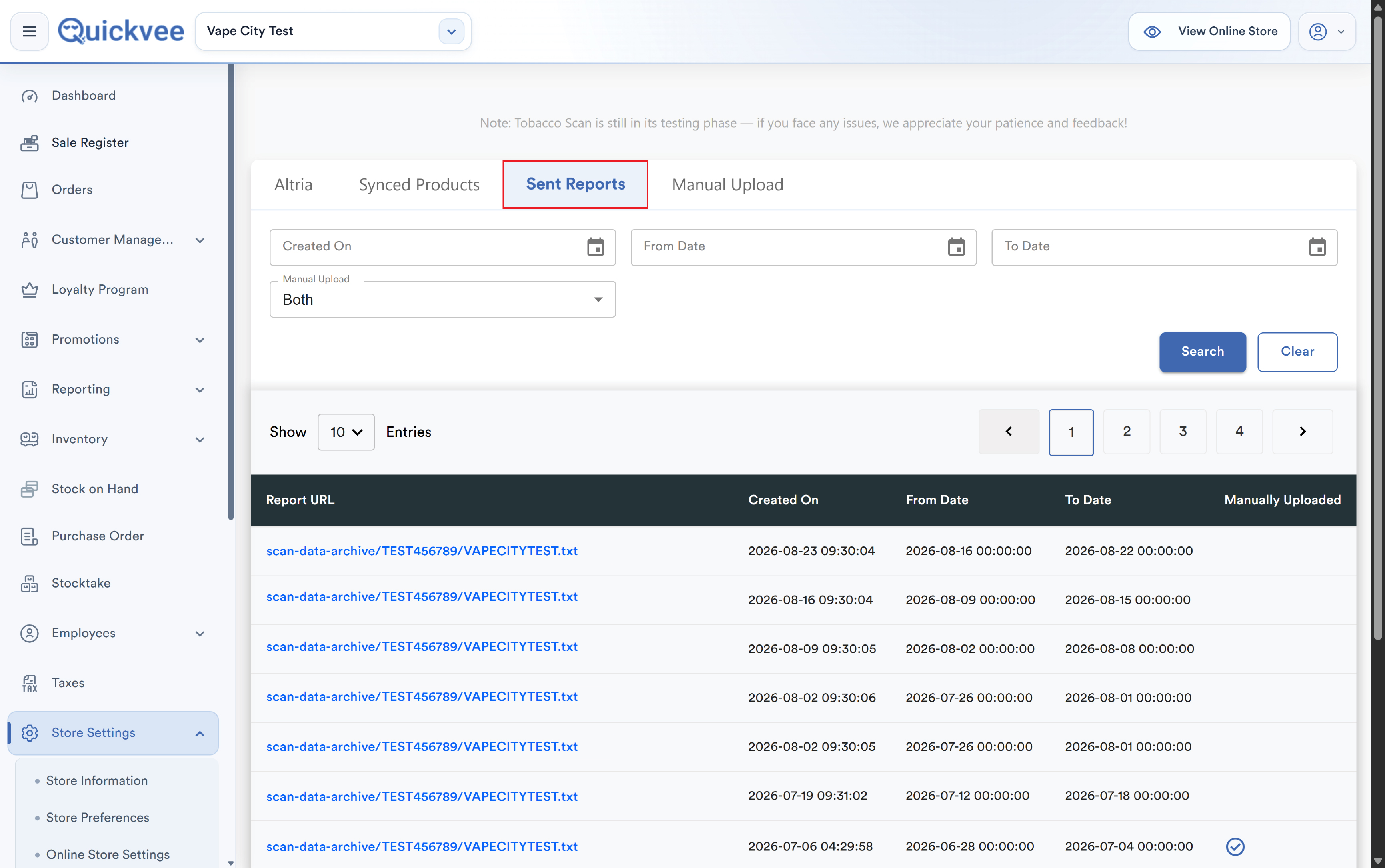
From the admin panel you can view submitted reports, review error logs, and regenerate or resend anything that failed.
✅ Best practice. Check the report log weekly. A failed upload is recoverable if you catch it, an unnoticed failure that runs for a month is a month of lost rebate.
Promotions and manufacturer-funded discounts
Altria's program includes manufacturer-funded discounts, promotional prices the manufacturer reimburses rather than your store absorbing them. When you configure a deal in Quickvee, you can mark it as manufacturer-funded so it is reported correctly. Promotion data is shared with Altria after the order is placed, so the manufacturer sees both the sale and the discount that applied to it.
Mix N' Match maximum quantity limit
Manufacturer programs cap how many units qualify for a promotional price in a single transaction. Quickvee's Mix N' Match promotions support a maximum quantity limit so your deal stops applying past the program's cap, protecting you from selling more discounted units than the manufacturer will reimburse.
⚠️ Important. Set the maximum quantity on any Mix N' Match promotion tied to a manufacturer-funded program. Without it, a customer buying a large quantity receives the promotional price on every unit while you're only reimbursed up to the program limit.
Managing the program per location
Scan Data can be enabled or disabled independently for each of your locations. Disabling it stops report generation and submission for that store, and the setting stays as you left it, including after running Sync Products or Send Reports.
Frequently asked questions
Do cashiers need to do anything differently?
No. Ring up tobacco as normal. Qualifying sales are captured automatically.
How do I know which products qualify?
Qualifying UPCs come from Altria's product list, matched against your catalog when you run Sync Products.
What if a report fails to upload?
It appears in the error log. Regenerate and resend from the admin panel, or download the file and submit it directly to Altria.
Can I run scan data for some locations but not others?
Yes. The program is enabled per location.
Does Quickvee support manufacturers other than Altria?
The Tobacco Scan Data framework is built to support multiple manufacturer programs. Contact support about availability for a specific manufacturer.
Where do I see my rebate earnings?
Rebate calculation and payment are handled by Altria under your program agreement. Quickvee submits the qualifying sales data that the rebate is based on.