
The Coupons feature lets merchants create discount codes that customers can redeem at the register or online. Coupons can offer a fixed dollar amount off or a percentage discount, with optional minimum order requirements, maximum discount caps, validity date ranges, and online visibility controls.
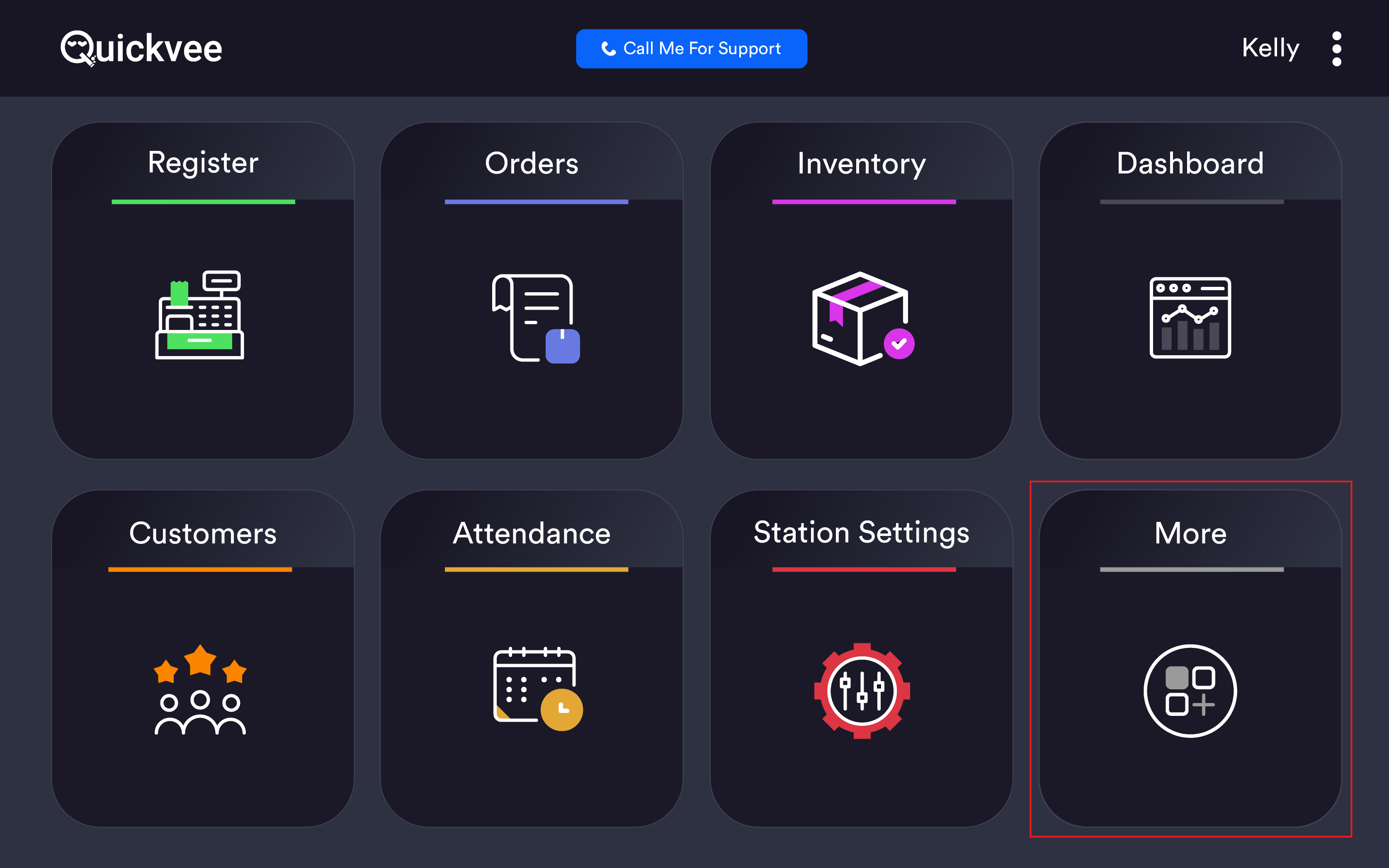
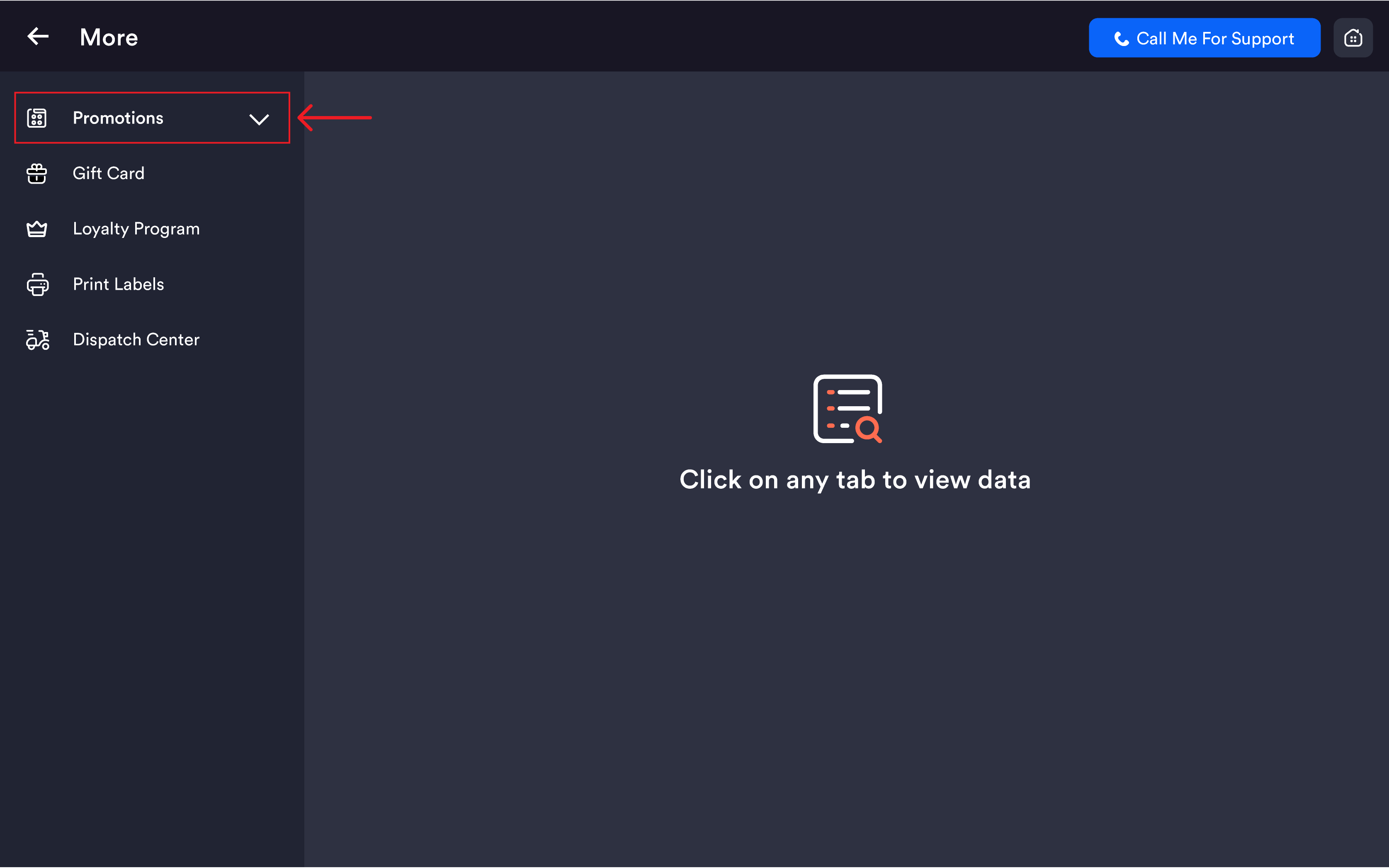
Access path: POS Home → More → Promotions → Coupons
Coupons list
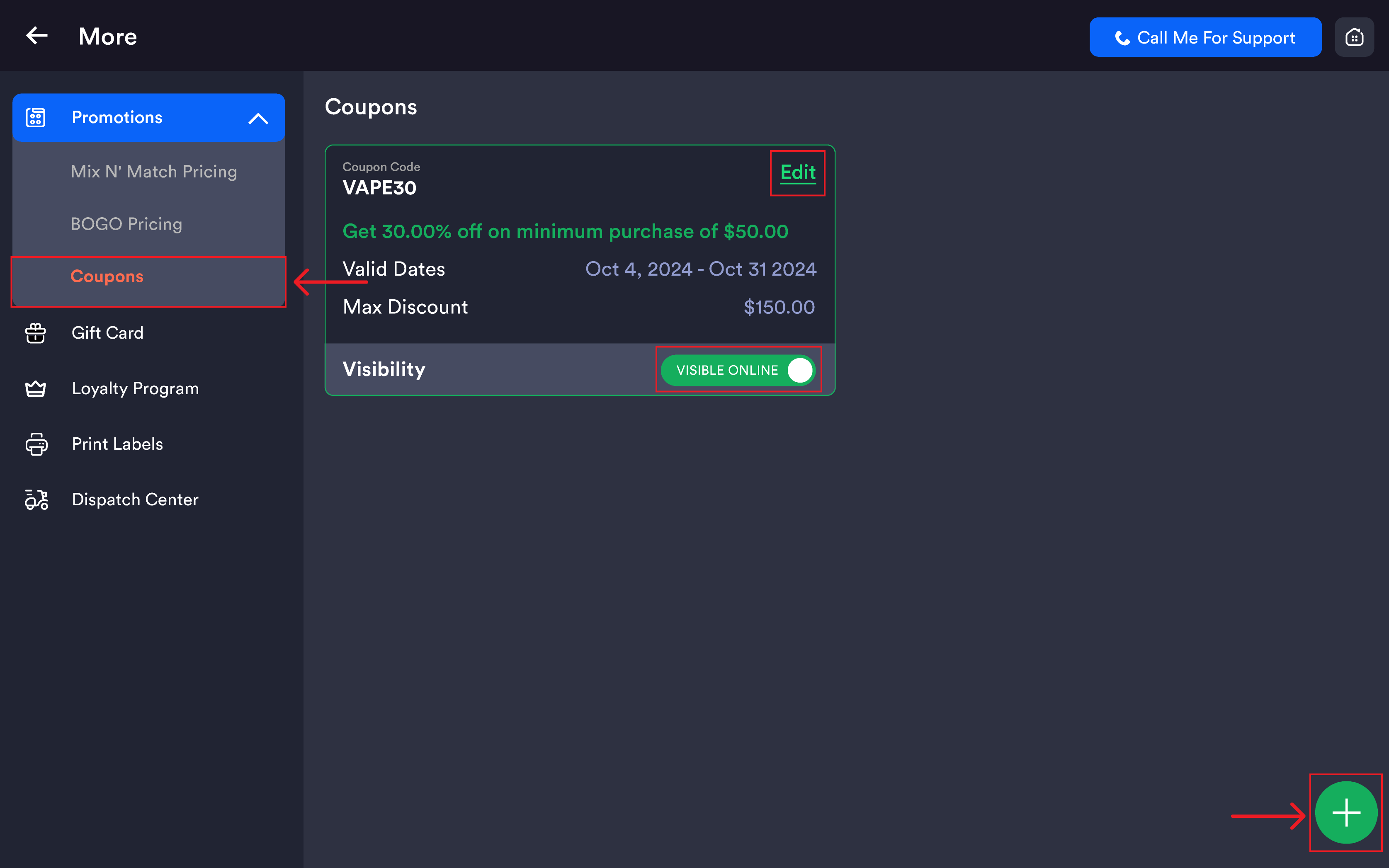
The Coupons screen shows all existing coupons as cards. When no coupons have been created, the screen displays "No Coupon Added".
|
Field |
Description |
|---|---|
|
Coupon Code |
The code customers enter to redeem the discount |
|
Deal Summary |
Description in green showing the offer terms (e.g. Get 50.00% OFF on minimum Purchase of $25.00) |
|
Valid Dates |
The date range the coupon is active |
|
Max Discount |
The maximum dollar amount that can be discounted |
|
Visibility |
Shows whether the coupon is visible online. Displays HIDDEN ONLINE in red when not listed publicly. |
|
Edit |
Opens the coupon in edit mode |
Tap the green (+) button at the bottom-right to create a new coupon.
Creating or editing a coupon
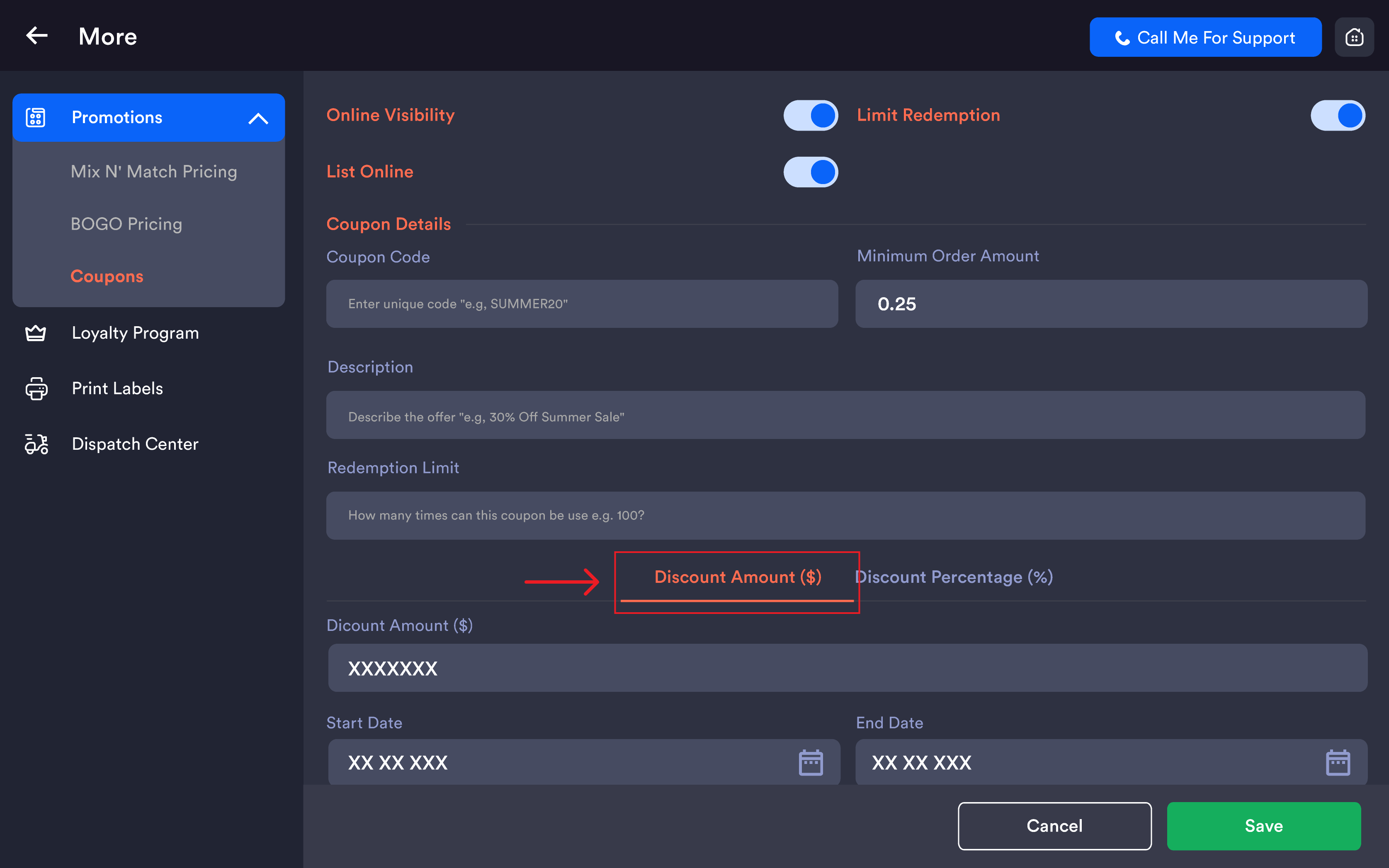
Online visibility settings
|
Setting |
Description |
|---|---|
|
Online Visibility (toggle) |
When enabled, the coupon can be used on online orders. When disabled, only at the POS register. |
|
Limit Redemption (toggle) |
When enabled, the coupon can only be redeemed a limited number of times |
|
List Online (toggle) |
When enabled, the coupon is publicly listed on the online ordering website. When disabled, customers must know the code to use it. |
Coupon details
|
Field |
Description |
|---|---|
|
Coupon Code |
Unique code customers enter at checkout (e.g. |
|
Minimum Order Amount |
Minimum cart subtotal required before the coupon can be applied |
|
Description |
Optional description of the offer shown to customers (e.g. |
Discount type
Two tabs are available — Discount Amount ($) or Discount Percentage (%).
|
Type |
Fields |
|---|---|
|
Discount Amount ($) |
A fixed dollar amount deducted from the order total (e.g. |
|
Discount Percentage (%) |
Discount Percentage (%) — percentage deducted (e.g. |
Validity dates
|
Field |
Description |
|---|---|
|
Start Date |
Date the coupon becomes active and usable |
|
End Date |
Date the coupon expires |
Tap the calendar icon next to each field to open the date picker.
Saving changes
Tap Save (green) to save the new coupon or update an existing one. Tap Cancel to discard all changes and return to the Coupons list.
Important notes
Coupon codes are case-sensitive at entry — best practice is to use all-uppercase codes so cashiers and customers enter them consistently (e.g. SAVE10 not save10).
Online Visibility vs List Online are two separate controls. Online Visibility allows the coupon to work on online orders. List Online makes it publicly visible. A coupon can be valid online without being listed — useful for private or staff-only codes.
Max Discount Amount only applies to percentage discounts. It prevents large orders from receiving disproportionately high discounts (e.g. 50% off capped at $60 means a $200 order gets $60 off, not $100).
Minimum Order Amount must be met before the coupon applies.
Valid Dates control when the coupon can be used. Outside the range, the code is rejected even if it exists in the system.
Coupons work at the POS register — the cashier enters the code from the cart screen during checkout. They also work on online orders when Online Visibility is enabled.