When managing or troubleshooting your PAX terminal, you may need to access the device’s settings. To do so, the system will prompt you to enter a password.
Default PAX Terminal Password:
If the terminal has already been programmed the password will be the following:
📅 Date Format for Password Entry
-
Today’s Date
-
Yesterday’s Date
-
Tomorrow’s Date
The date must be entered in the following format:
➔ DDMMYYYY (2-digit day, 2-digit month, 4-digit year) — no spaces, no dashes.
🔄 Note: This is a rolling password that updates daily.
Example:
January 1, 2025 → 01012025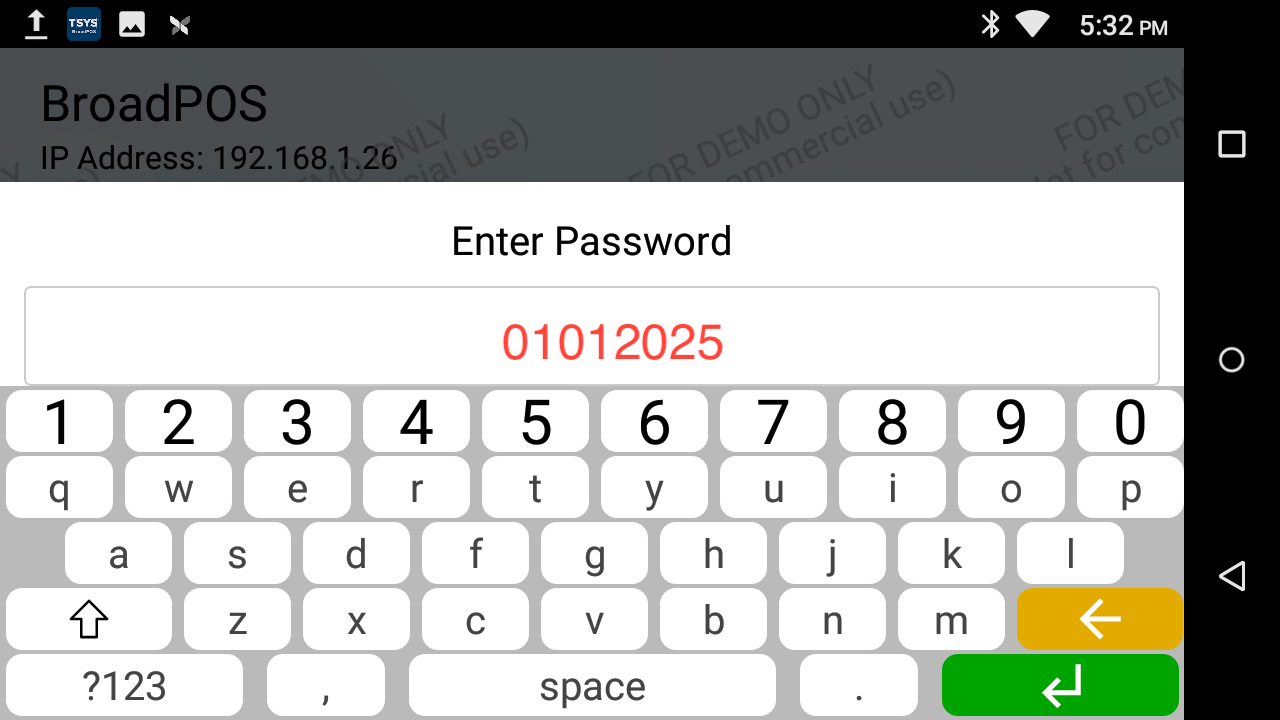
Articles in this section
- Troubleshooting Your Quickvee Credit Card Terminal
- 🖨️ Supported Barcode Printers
- ✅ Confirm a Transaction on the Pin Pad
- 🏷️ Available Label Sizes for Printing in Quickvee
- 🔌 How to Connect my Pin Pad to the Quickvee POS
- 🤝 Pin Pad Troubleshooting
- 🌐 Switch the Pin Pad from Wi-Fi to Ethernet
- 🛜 Switch the Pin Pad from Ethernet to W-Fi
- 💤 How to Stop the Pin Pad from Sleeping
- 🔒What is my Pin Pad's Password