
Expected Cash gives a real-time snapshot of how much cash should currently be in the drawer — calculated automatically based on the starting cash drawer amount, all recorded cash transactions, and payouts during the current shift. Use it to verify your drawer balance at any point during the day without closing the shift.
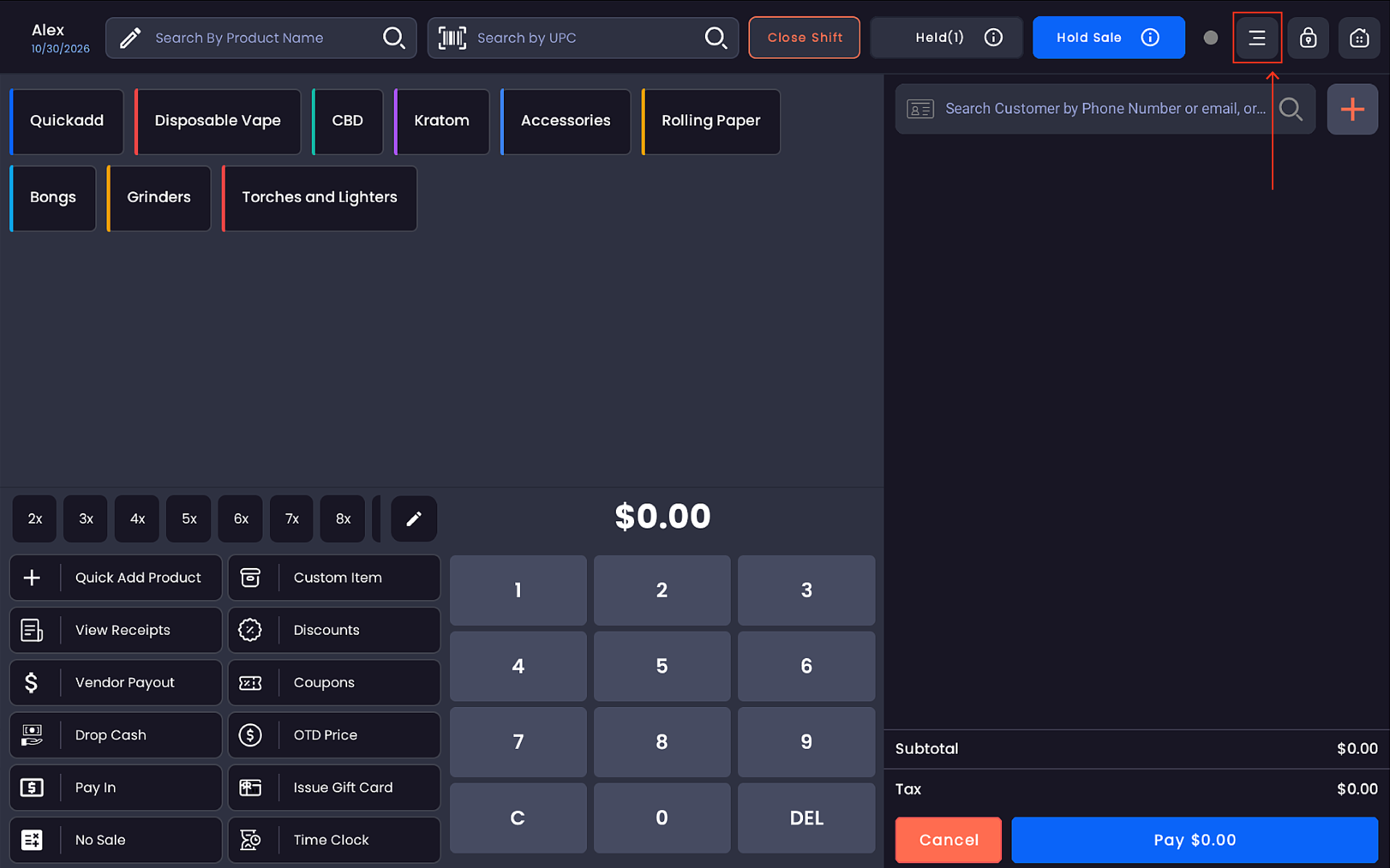
Step 1 — Open the menu
Tap the ≡ menu icon in the top bar of the register screen.
Step 2 — Select Expected Cash
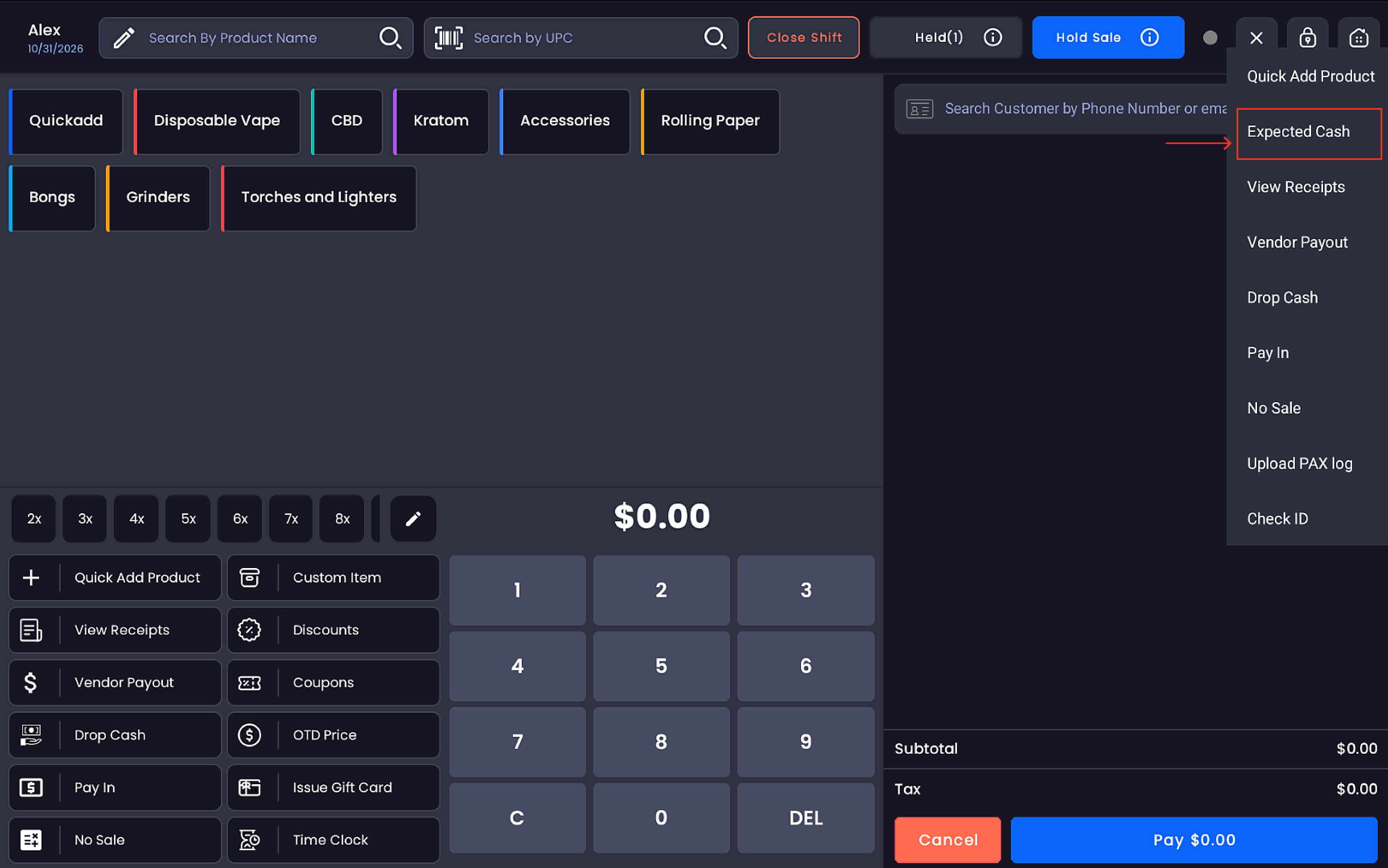
From the dropdown menu, tap Expected Cash.
The full list of menu options:
-
Quick Add Product
-
Expected Cash
-
View Receipts
-
Vendor Payout
-
Drop Cash
-
Pay In
-
No Sale
-
Lottery/Scratcher Payout
-
Upload PAX log
-
Check ID
Step 3 — View the Expected Cash amount
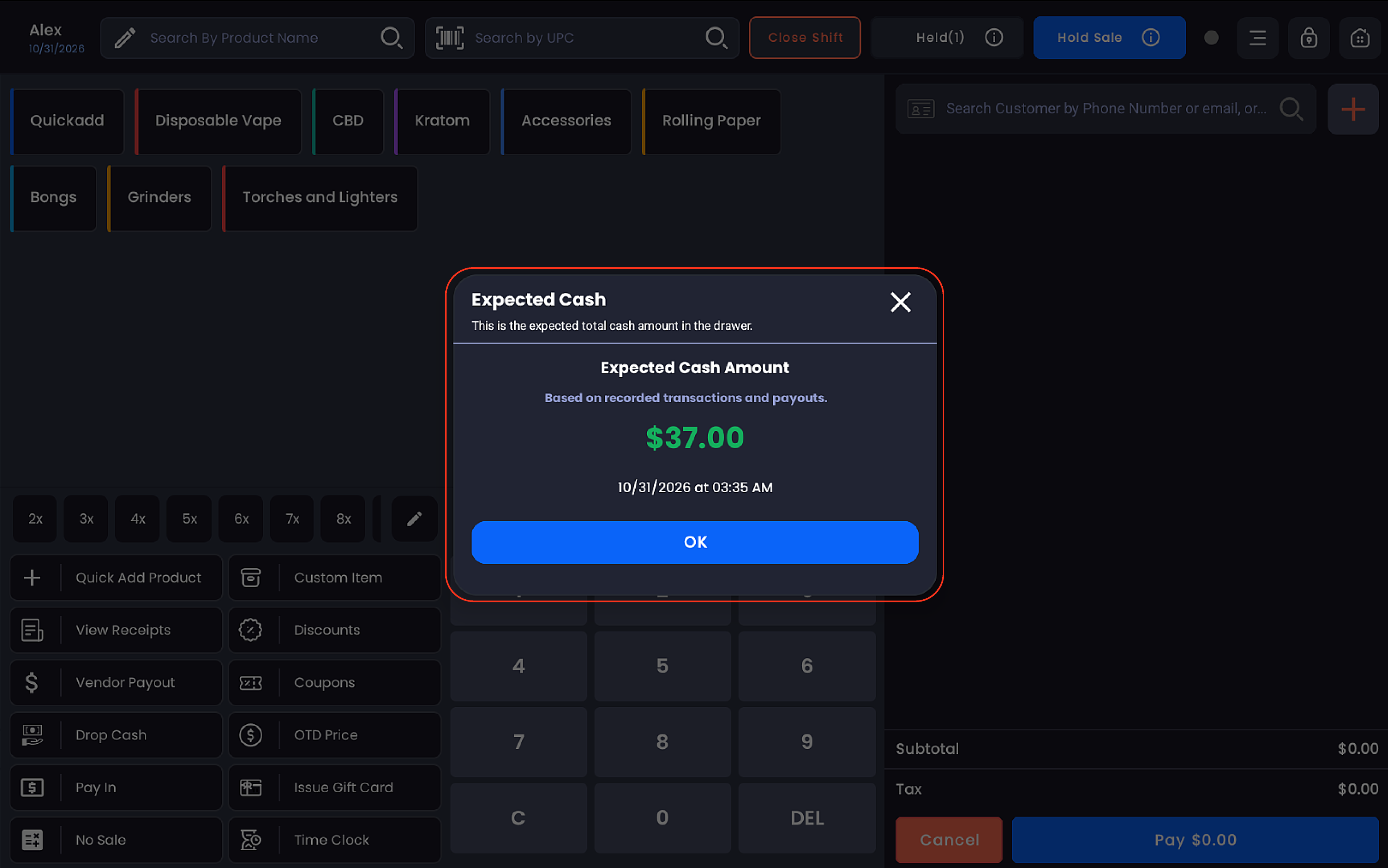
The Expected Cash popup appears displaying:
|
Field |
Description |
|---|---|
|
Expected Cash Amount |
The total cash that should be in the drawer (e.g. $194.29) |
|
Basis |
"Based on recorded transactions and payouts" |
|
Timestamp |
The date and time of the calculation (e.g. 04/15/2026 at 07:25 PM) |
Tap OK to close the popup and return to the register.
How the amount is calculated
The Expected Cash amount is a running total that accounts for:
|
Component |
Effect on Total |
|---|---|
|
Starting Cash Drawer Amount |
The opening float set when the shift was started — base amount the calculation builds from |
|
Cash Sales |
All cash payments received during the current shift |
|
Pay In |
Any cash manually added to the drawer and recorded |
|
Vendor Payout |
Cash paid out to vendors, deducted from the total |
|
Drop Cash |
Cash removed from the drawer mid-shift, deducted from the total |
The result reflects the theoretical cash balance in the drawer at that exact moment based on POS records — not a physical count.
Notes
Expected Cash is a read-only reference figure — it cannot be edited from this view.
The starting cash drawer amount is entered at the beginning of each shift when opening the register.
It is useful for mid-shift drawer checks and end-of-shift cash reconciliation.
For a full shift reconciliation, use Close Shift, which compares the expected amount against the physical count entered by the merchant.