
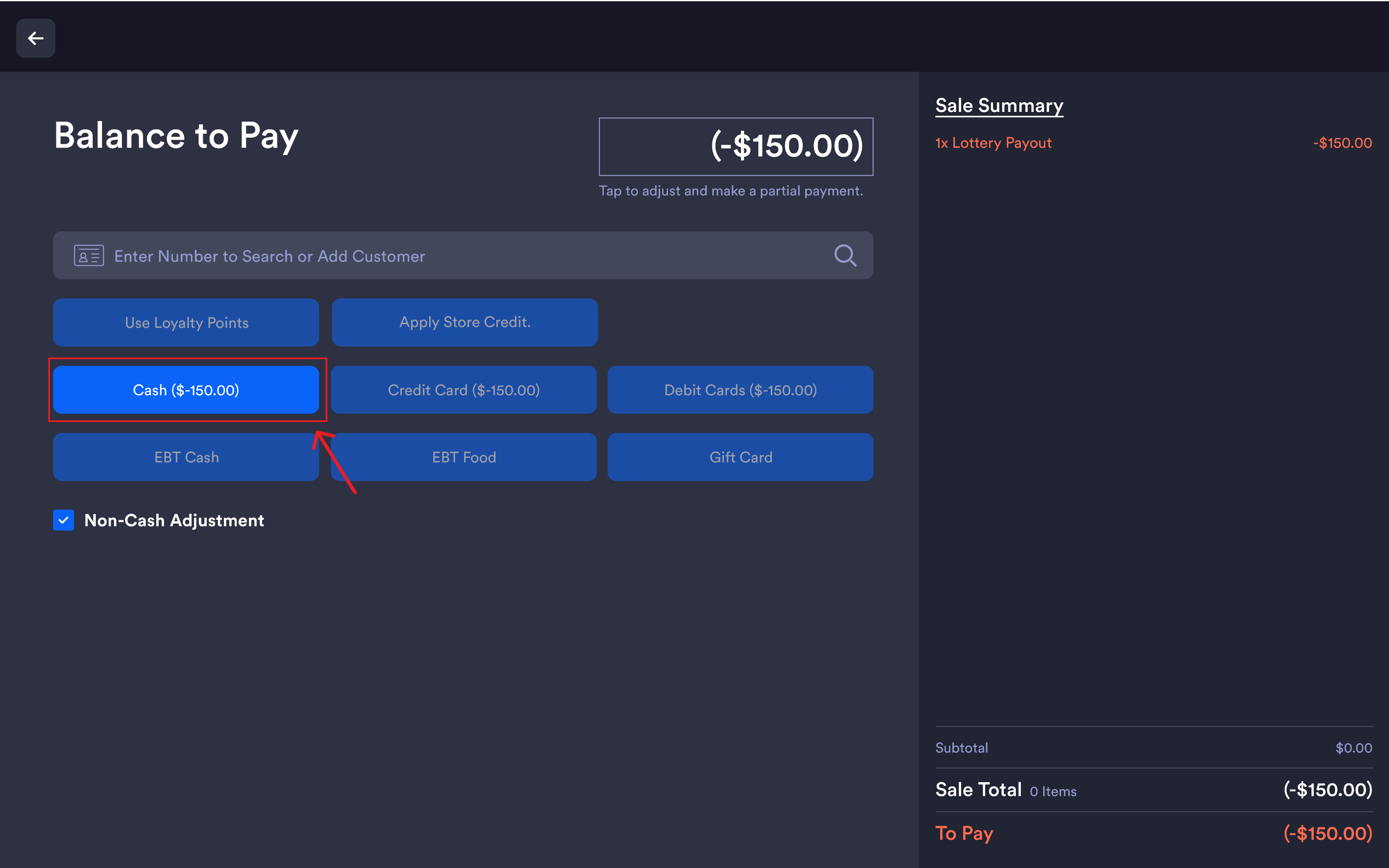
The Lottery / Scratcher Payout flow lets merchants pay out winning lottery and scratcher tickets to customers directly from the register. The payout is recorded as a negative-amount line on the sale and can be paid out via Cash, Credit, Debit, Gift Card, or applied to the customer's Loyalty or Store Credit balance.
Overview
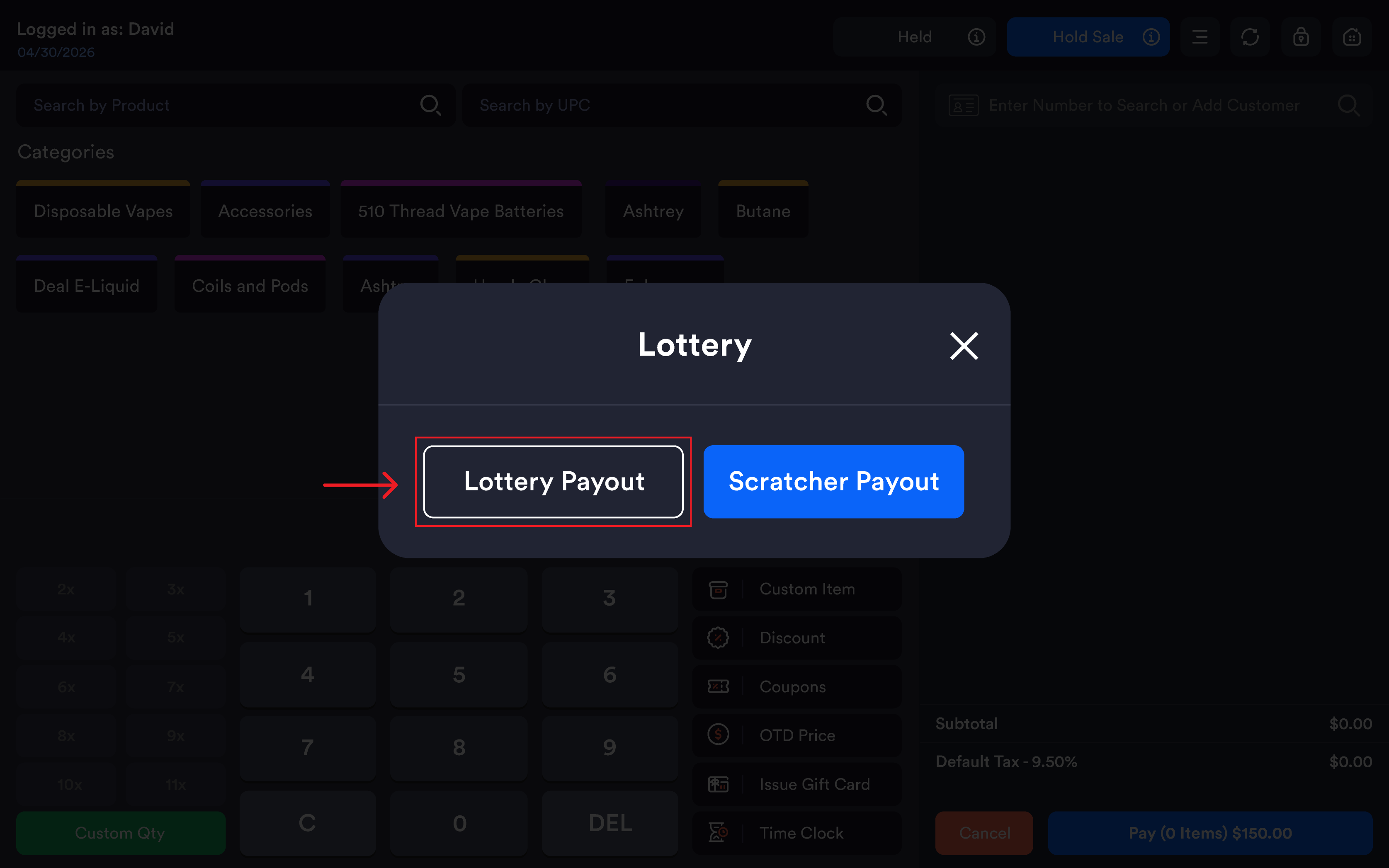
Accessed from the Register side menu under Lottery/Scratcher Payout, which opens a modal to choose between:
-
Lottery Payout — Powerball, Mega Millions, Pick games, daily and multi-state draws
-
Scratcher Payout — scratch-off / instant tickets
Tracked separately from regular sales in reporting for clean lottery reconciliation.
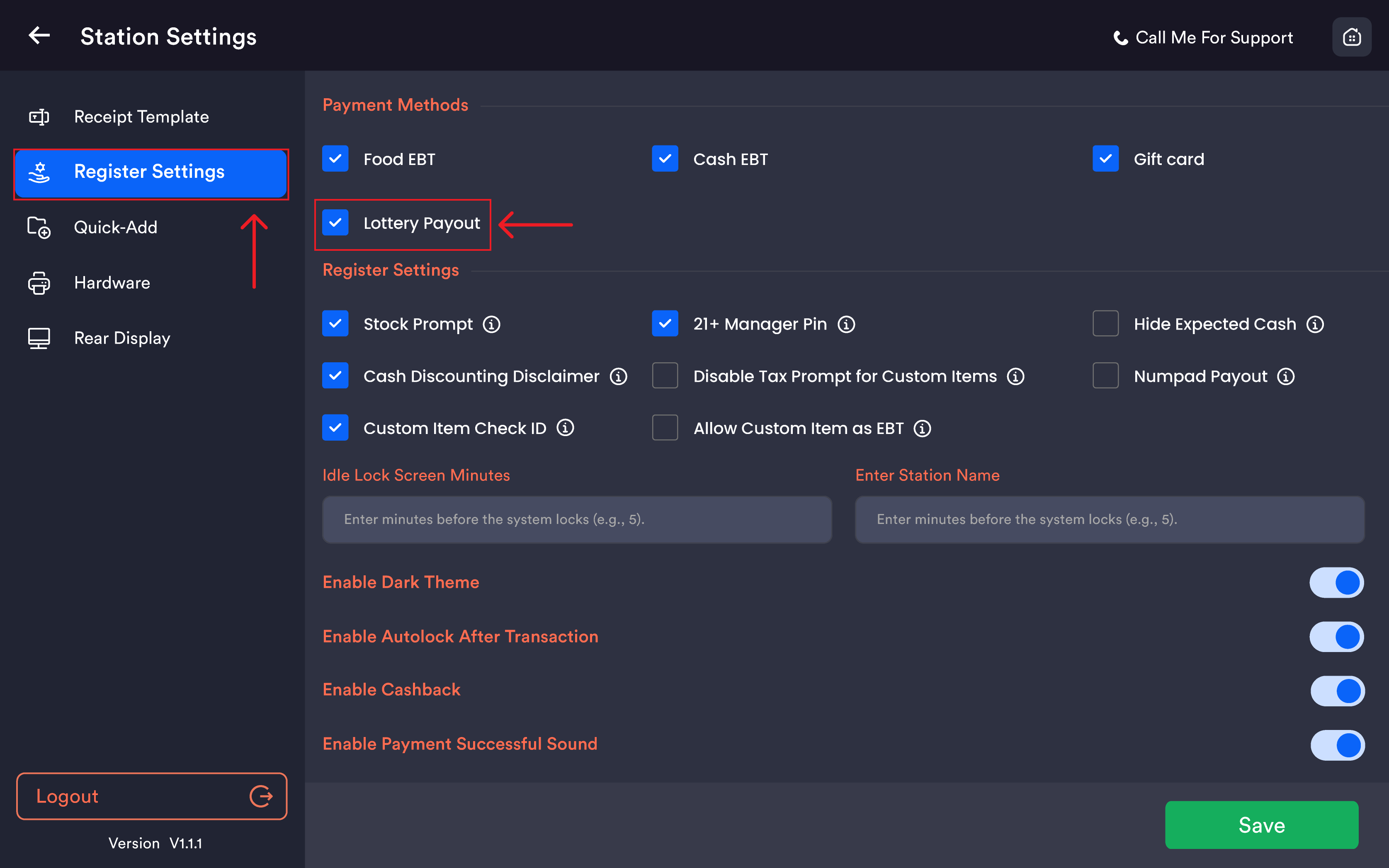
Enable Lottery Payout
Must be enabled per register under Register Settings → Payment Methods → Lottery Payout.
Paying out a winning ticket
-
Open the register side menu
-
Tap Lottery/Scratcher Payout
-20260527-095213.png?cb=aefe7bf1290b6bf8848e6432e2252fdc)
-
Choose Lottery Payout or Scratcher Payout based on ticket type
-
Enter the payout amount
-
Select the payout method (Cash, Credit, Debit, Gift Card, Loyalty, or Store Credit)
-
Confirm
Notes
The payout is recorded as a negative-amount line in the sale, keeping the audit trail clean.
Lottery and scratcher payouts are tracked separately from regular sales in reporting, so reconciliation can be done cleanly.